On the Road · Tech
Building an RV That Monitors Itself
Every Victron owner has the VRM app, and it is good at telling you what your system is doing. What it did not do was surface the slow-degradation modes I wanted to catch — the ones that need several sensors compared against each other. This is a running log of closing that gap.
The Setup
How it is wired
The coach is a 2018.5 Winnebago View 24J — a diesel Class C on the Mercedes-Benz Sprinter chassis. It runs a Victron Cerbo GX as its brain: a MultiPlus inverter/charger, a 680 Ah lithium bank in two packs, a SmartSolar MPPT, a battery shunt, and an Onan generator with automatic start. Standard enough.
The part that is not standard is a small publisher script running on the Cerbo itself, pushing telemetry over MQTT into Home Assistant back at the house. That gives Home Assistant a pile of readings VRM never shows you: per-pack cell spread, the weakest cell in each pack, each pack's requested charge voltage limit, the Cerbo's own CPU load and free disk, GPS fix validity, even how many remote console sessions are open.
Home Assistant then does the math on top. That math is where most of the value turned out to be.
Power
The fault that started all of this
The MultiPlus tripped on "low battery" every single time the air conditioner compressor kicked on. With a full bank. It was not the batteries.
Not the battery — and not really the cable either
The battery run was dropping roughly 1.5 V under the compressor's ~135 A inrush — enough to pull the voltage at the inverter's own terminals below its low-voltage cutoff while the battery itself sat happily at full charge.
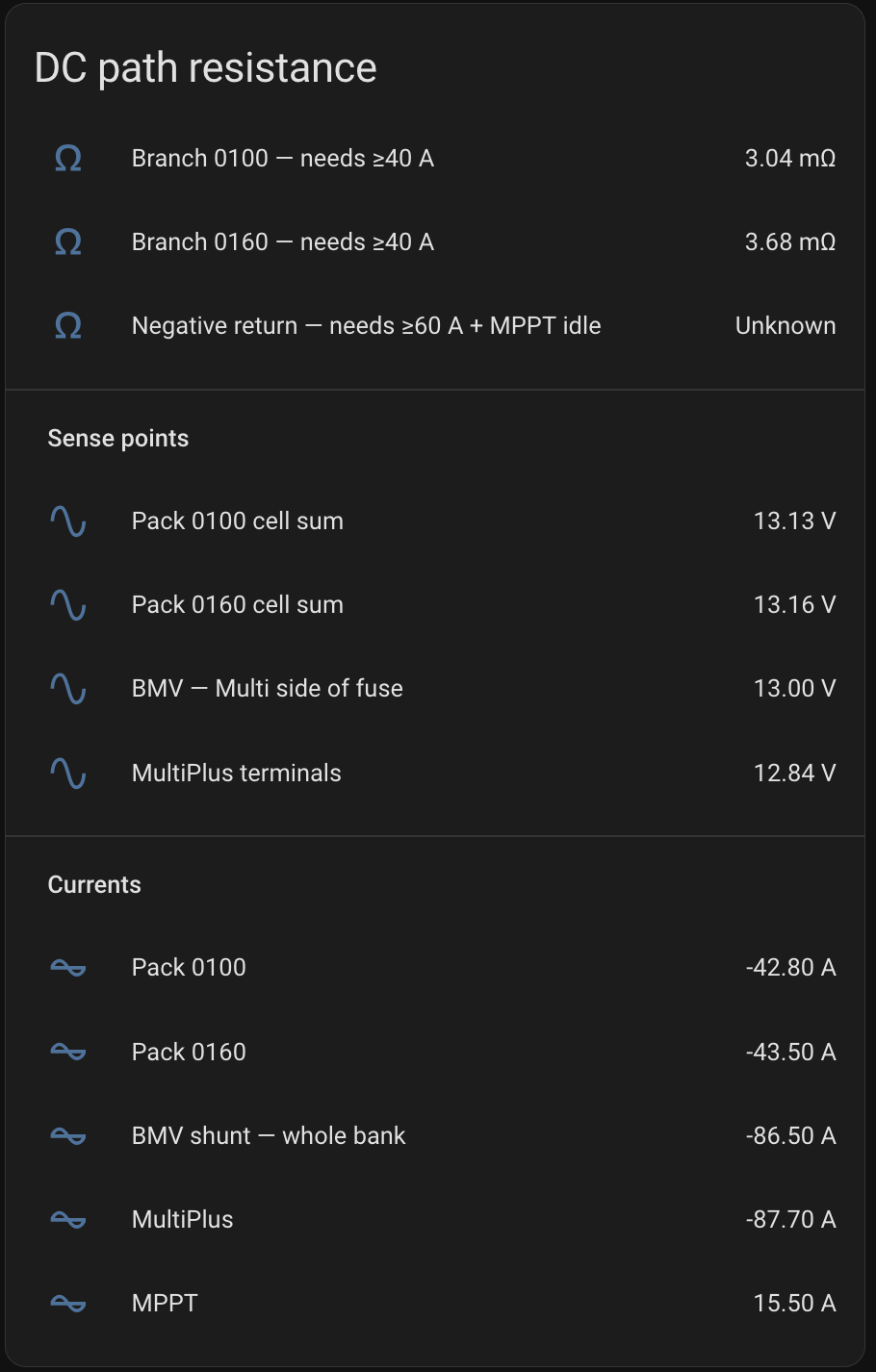
The obvious reading was "undersized cable", and that is what we assumed at first. It was wrong. The run was 4 AWG rather than the 6 we thought, and more importantly the copper was only about half the problem. The rest — roughly 2.6 mΩ of it — was sitting in one corroded connection where a 4 AWG cable landed on the bus bar.
Put a number on what that means. At 125 A, 2.6 mΩ in a single lug is 0.33 V dropped and 41 watts of heat being dissipated inside one connector. And it is self-accelerating: heat grows the corrosion, corrosion raises the resistance, higher resistance makes more heat.
The rebuild replaced the run with 1/0 and cleaned the joint. Both mattered; the joint mattered more.
If your inverter trips on startup surges, meter the DC voltage at the inverter's terminals during the surge — not at the battery. Then find out where along the path the voltage is disappearing, because a bad joint and a thin cable look identical from the ends.
Now the cable is a sensor
Rather than trusting that the repair holds, Home Assistant continuously computes the resistance of each battery cable run — voltage drop divided by current, in milliohms. A corroding lug or a pitted connector now announces itself as a slowly rising number, weeks before it can strand anyone.
It only computes above 40 A. A voltage drop measured at 5 A is mostly rounding error wearing a convincing costume.
Cell spread, with a diagnosis attached
An alert fires if either pack's cell spread holds above 50 mV for half an hour — it sits around 2 mV at rest. The alert names the weakest cell, because the pattern is what matters. If the same cell is repeatedly the outlier under comparable charge, temperature and current, that points at a persistent imbalance, a sense-path problem, or a weakening cell — run the manufacturer's balancing procedure and escalate if it persists. If the identity wanders at small spreads, that is ordinary measurement variation. A single reading tells you very little; spread under an 87 A discharge means something different from spread near the top of charge.
"Your bank never actually finished charging"
If the effective charge voltage limit drops below nominal while current is actually flowing in, Home Assistant says so and names which of the two packs is holding the bank back. Without that, you simply stop reaching a full absorption cycle. Nothing alarms, your state-of-charge calibration quietly drifts, and balancing suffers for months.
Solar
The failure that hides from every alarm
A high-resistance joint in a solar string is genuinely nasty. The string self-limits to almost no output while still generating heat, so no fuse opens and no controller alarm fires. You just quietly lose a third of your array and never find out.
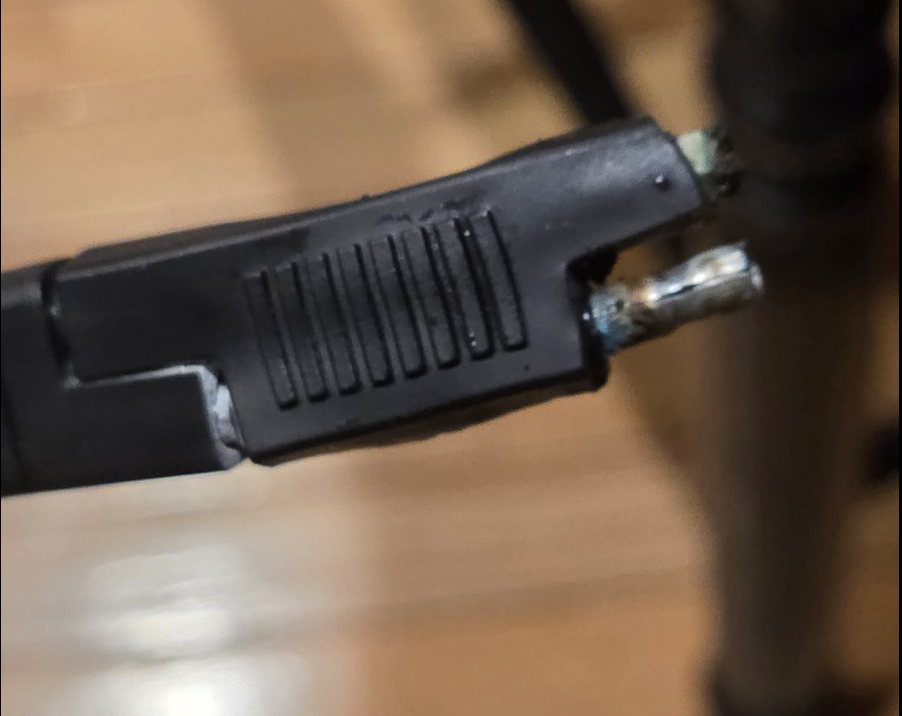
We found one the hard way: a burned SAE connector on the roof, charred through while still mated to its cap, one contact destroyed with green corrosion.
The likely initiator was mechanical — a branch catching the cable and pulling the connector partly out. Not far enough to disconnect anything, just far enough to reduce the contact area. That is the worst version of the fault: a fully open string stops contributing power and is therefore easy to spot, while a partly seated one keeps carrying current through a smaller contact patch, concentrates heat at that contact, and lets water into a connector with no published ingress rating. Heat and corrosion then feed each other until the housing melts.
To be clear, an open string is easier to detect, not harmless — a disconnected panel in daylight is still an energised DC source.
It is a fire risk, not a yield problem — and worth a look after any drive under low branches.
So Home Assistant now tracks solar output health: the trailing 7-day peak output as a percentage of the trailing 30-day peak. Peaks rather than averages, because one clear hour in a week restores a peak — weather matters far less than it would to an average, though a genuinely cloudy fortnight can still pull it down. It also refuses to report at all when the rig is stored or shaded, rather than screaming that the array is dead.
What a failure looks like depends on which string goes. Ours are not equal — 400 W, 200 W and 320 W — so losing one leaves roughly 57%, 78% or 65% of nameplate respectively. String C, the one that actually failed, sits in the mid-60s. Treat this as a fault detector, not a power estimator: all three strings share one controller and do not have identical operating voltages, so they cannot all sit at their own maximum power point at once.
De-energise the array at the DC-rated string disconnects, or cover the panels, before servicing anything on the roof. Never separate PV connectors under load.
Connectivity
Two uplinks, and knowing which one is lying
Starlink, in detail
The dish is queried directly rather than through any app, so Home Assistant sees far more than "online": obstruction percentage, whether it is obstructed right now, outages in the last hour and the actual cause of each, the last reboot reason, thermal throttle and thermal shutdown warnings, ping latency and drop rate, and Ethernet link faults.
When service goes flaky, that is the difference between a tree, an overheating dish, and a Starlink-side outage — settled from inside the coach.
Do not judge a cell link by one ping target
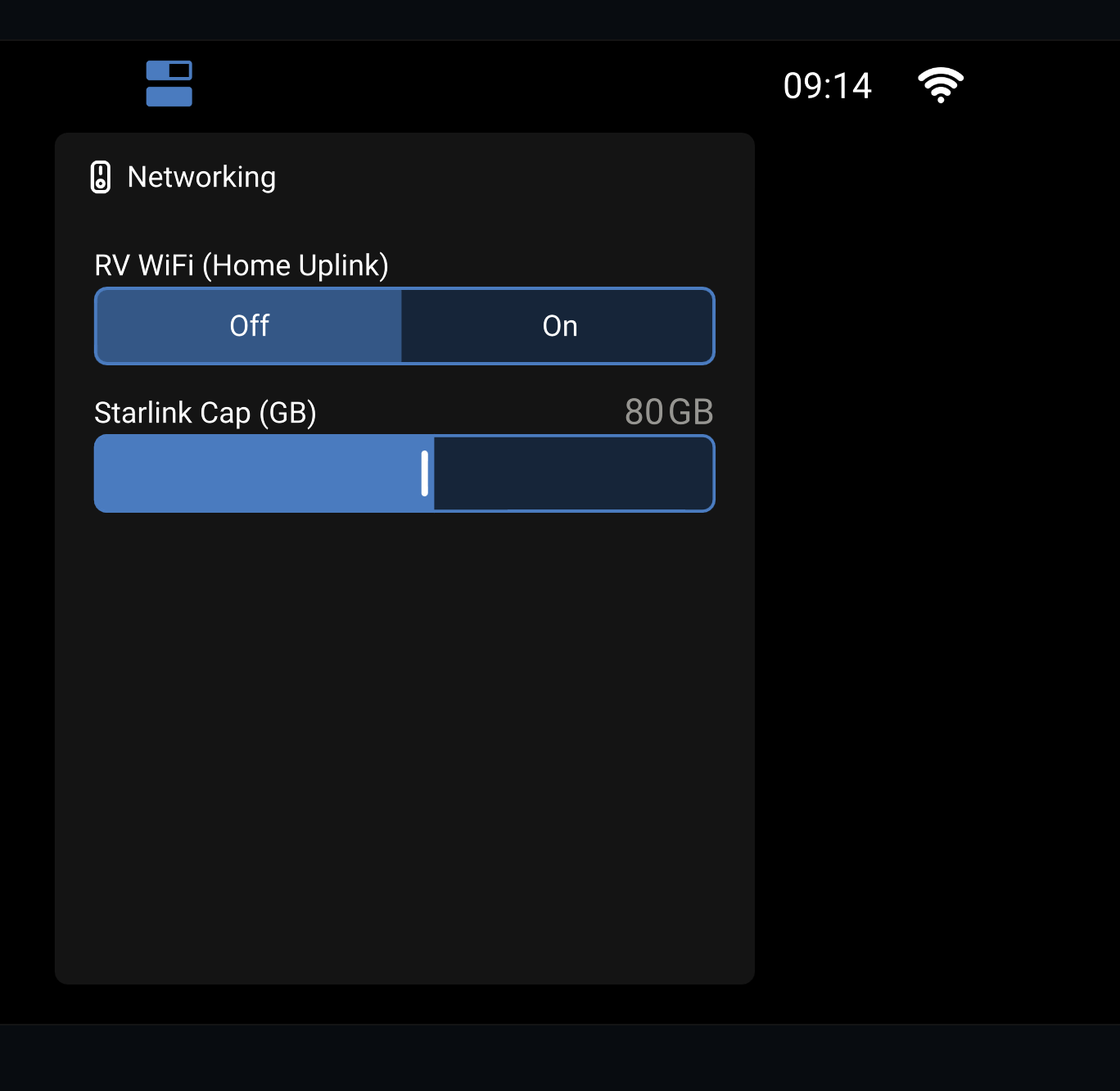
Starlink is the metered plan; a cell hotspot is the unlimited one. The router scores both every 30 seconds and prefers the unlimited link to spare the metered one.
The lesson that cost the most time: do not let one ping target be the sole proof that a cellular link is alive. On this hotspot, ICMP is deprioritized enough to produce false failures — the router concluded the link was dead, failed over to satellite, and flapped back and forth all day, burning the exact plan it was trying to protect. The honest test is an application-level probe, or several samples against more than one target.
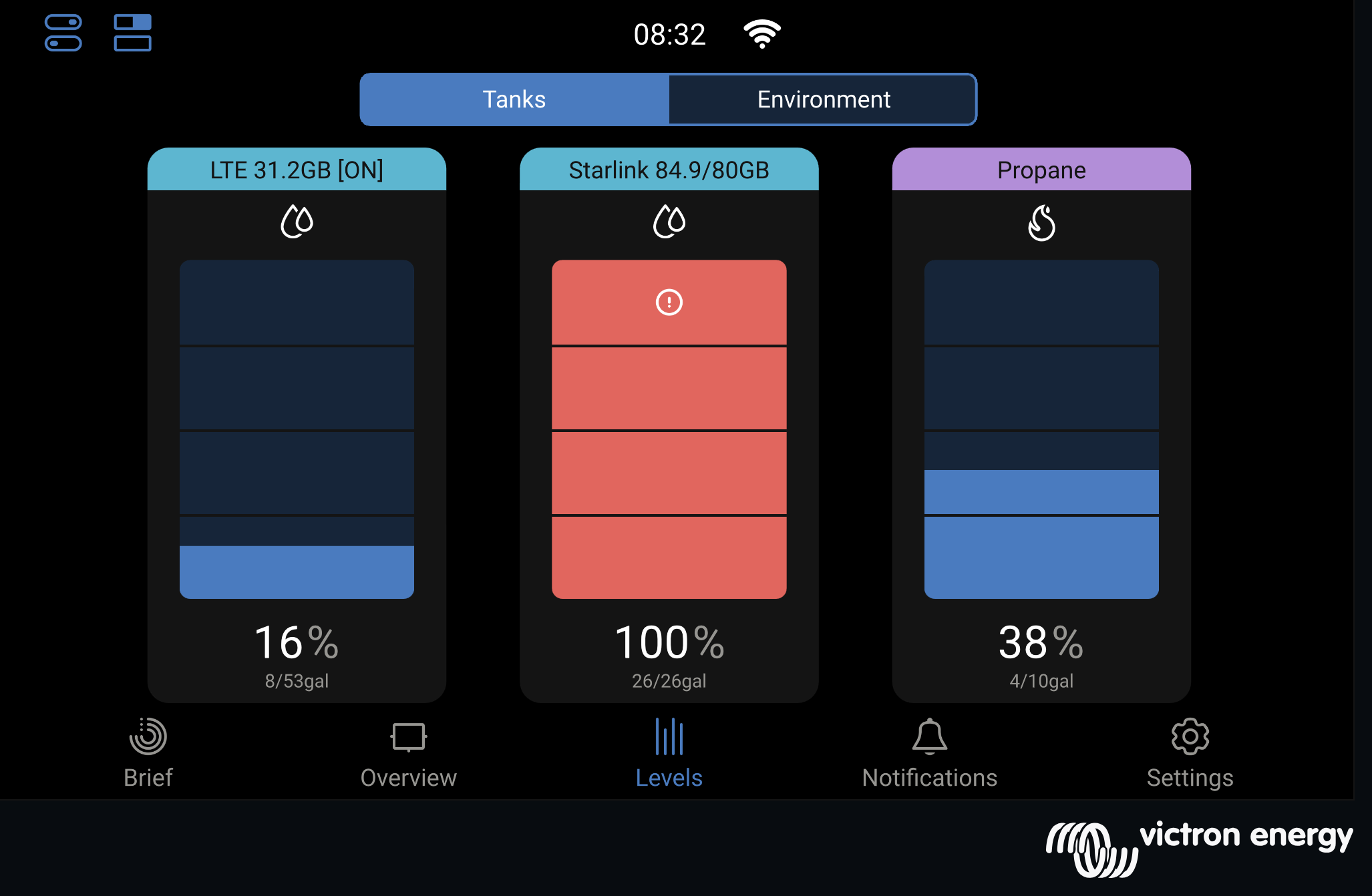
Which link actually won is readable from the driver's seat — see the [ON] tag in the tank gauges below.
Data usage as fuel gauges
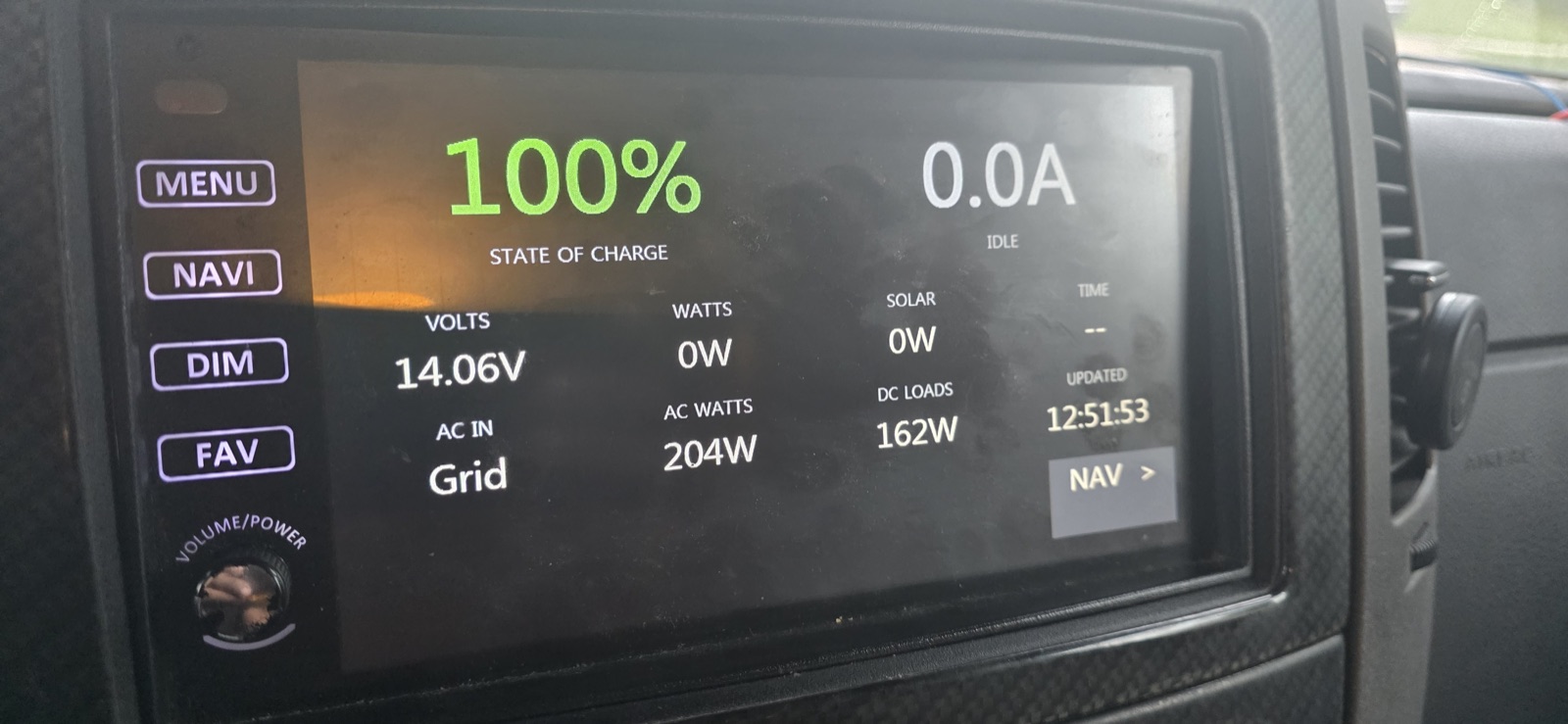
The Cerbo lets you define "virtual tanks." They are meant for holding tanks. Both of ours are spent on Starlink and cellular data usage instead, so the screen in the coach shows the month's data burn as two tank gauges sitting right next to propane.
It is the same glance-and-go read as any other tank, and it changed our behaviour more than any dashboard ever did.
There is a second trick hiding in the label. A tank's name is just a text field, so it can carry what a level gauge cannot: whichever link is currently carrying traffic gets [ON] appended to its name. The router re-picks the active uplink every 30 seconds and the label follows it. So the screen answers two questions at once — how much have I used, and which one am I on right now — without a single extra widget.
Coming Home
Hands-free arrival, and uploads that cannot touch Starlink
When the RV comes within about 650 feet of the house, it flips its 5 GHz radio from being an access point to being a client of the home network, and demotes the cellular and satellite links to backup. Leaving flips it back. The two boundaries are deliberately different — roughly 650 feet to arrive, about 1,600 feet to leave — so it cannot sit on the edge flipping back and forth.
Two decisions there are worth spelling out.
The geofence runs on the Cerbo, not in Home Assistant. Routing it through the house would make the thing that switches the network depend on the network already being up. Home Assistant also cannot act at all while the RV is offline, which is precisely when you need this to work.
The dashcam archive is routed so it can only leave over home Wi-Fi. Not "prefers" — only. Its traffic is marked into a routing table with no fallback: if the home gateway disappears, the lookup fails into a blackhole rather than falling through to the default route. The transfer dies instead of quietly finishing over metered satellite. Dashcam footage is exactly the sort of thing that will eat an entire month's plan while nobody is watching.
There is a backstop for the ugly case, too: parked in the driveway with the house access point down, where GPS still insists you are home but the uplink is dead. After a couple of minutes it gives up and reverts to travel mode, so nobody inside is stranded without Wi-Fi.
On the Road
Where it has been
The Cerbo's GPS posts a position to a self-hosted tracking server every ten seconds, so drives come back as real tracks rather than a start and an end. They are coloured by speed, which turns out to be the useful part — you can see where you crawled and where you were making time.
The part that took a second attempt: positions are buffered when there is no signal. Without that, every dead zone is a straight line drawn hopefully between two points, and mountain passes simply vanish. They queue on the Cerbo and upload when the link returns.
One more trap worth naming, because it cost three days. The tracking server was configured to discard any position reported at zero speed — and it returns a perfectly cheerful success code while doing it. A parked RV therefore recorded nothing at all, and looked identical to a broken tracker.
Monitoring
Alerting that survives its own outage
There is a wiring decision underneath all of this that is easy to overlook. The Cerbo, the router and the Starlink are wired ahead of the coach disconnect, so they can stay powered with everything else in the coach switched off.
That is what makes the rest of it work at all. If the telemetry chain sat behind the disconnect, shutting the coach down would take the monitoring with it — and a system that goes quiet when you switch it off is indistinguishable from one that has failed. It also means the rig keeps reporting through storage and between trips, which is precisely when nobody is looking at it.
The obvious objection is the standing draw. In practice solar covers it — with the coach off, the array carries the day's usage, so the rig can sit for weeks reporting on itself without walking the bank down. That only holds while the panels see sky, which is the one thing to think about if it is ever stored under cover.
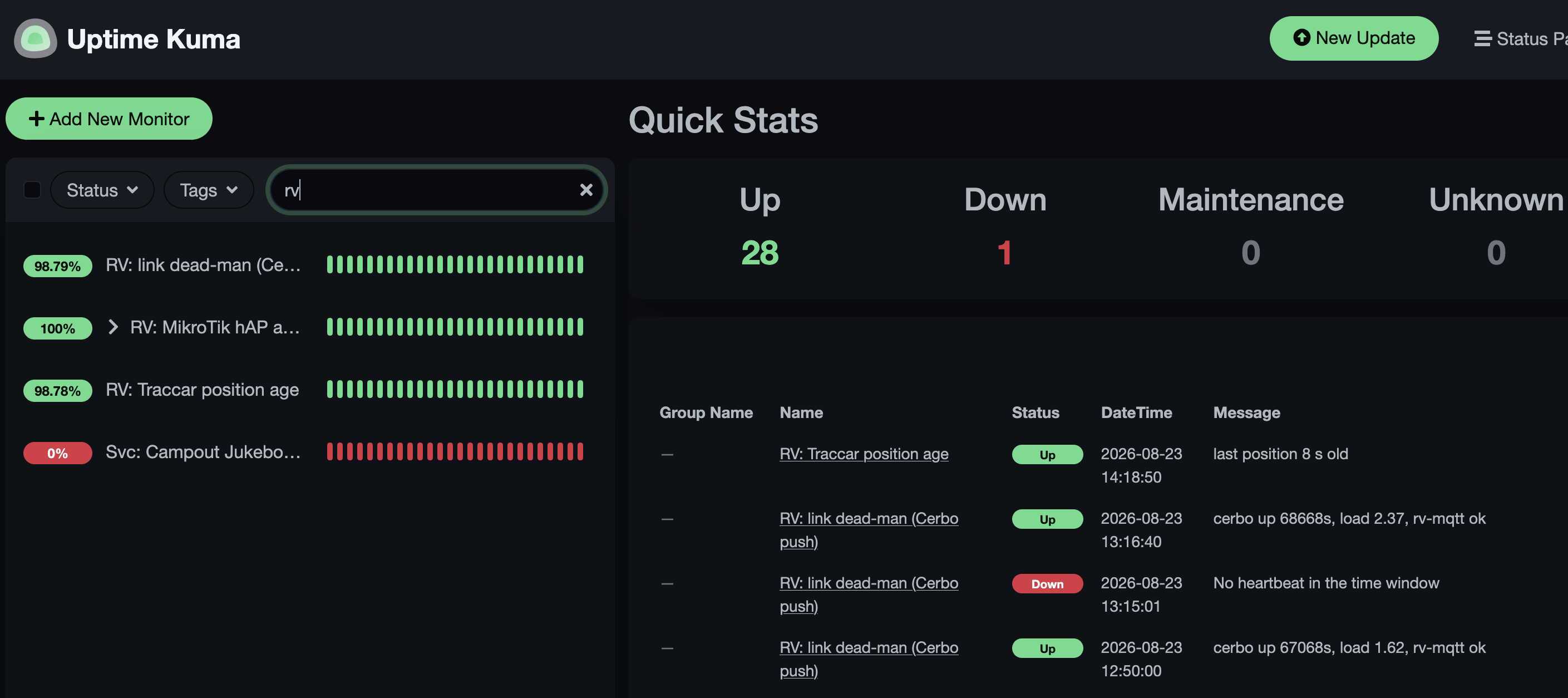
The hardest part of monitoring anything remote is that a broken system cannot report that it is broken. Traditional alerting fails in exactly the case you care about most.
So the RV sends a heartbeat every five minutes, and the alert fires when the heartbeats stop. Separately, monitors reach into the RV over the VPN from the other direction. Read together, they tell you which half failed: heartbeat dead but the RV still answering means the sender broke; both dark means the link did.
The same care goes into the small stuff. Sensors expire after five minutes, so "no data" is the offline signal — no separate ping needed. Offline detection keys on both the Cerbo's uptime and the battery state of charge, so a battery driver fault does not get misreported as the whole RV being gone. And if a sensor is ever renamed and simply does not exist, the system reports unknown and fires nothing at all, rather than waking someone at 2 a.m. for something no amount of driving to the RV can fix.
The Cerbo watches itself as well. It rebooted once from a hardware watchdog after sustained CPU saturation, so now there is a warning as load climbs — along with alerts for a full root filesystem, unexpected restarts, and a nudge when someone leaves a remote console tab open, since each one burns about a quarter of a CPU core indefinitely.
An alert should tell you what to go do, not just that a number moved.
The Kit
Everything in the rig
The full parts list, because "what are you running?" is the question that always comes up first.
The coach2018.5 Winnebago View 24J
| Item | Detail |
|---|---|
| Coach | Winnebago View, 24J floorplan, 2018.5 |
| Chassis | Mercedes-Benz Sprinter — diesel Class C |
| Why it matters | A short Sprinter roof is why the array is three small strings rather than two big ones, and the diesel genset shares the coach's own fuel tank |
Power conversionVictron, all of it
| Component | Model | Role |
|---|---|---|
| Inverter / charger | MultiPlus 12/3000/120-50, 120 V | 3000 VA inverter (2400 W continuous at 25 °C), 120 A charger, 50 A transfer switch |
| System controller | Cerbo GX | Runs Venus OS and Node-RED; the brain of the whole system |
| Solar controller | SmartSolar MPPT 100/50 | Single controller for all three strings |
| Battery monitor | BMV-712 Smart | Shunt in the battery negative; coulomb-counted bank state of charge, which needs periodic synchronisation |
| DC-DC charger | Orion-Tr Smart 12/12-30 | Charges the house bank from the alternator while driving |
Battery bank680 Ah · 8.7 kWh at 12 V
| Component | Detail | Spec |
|---|---|---|
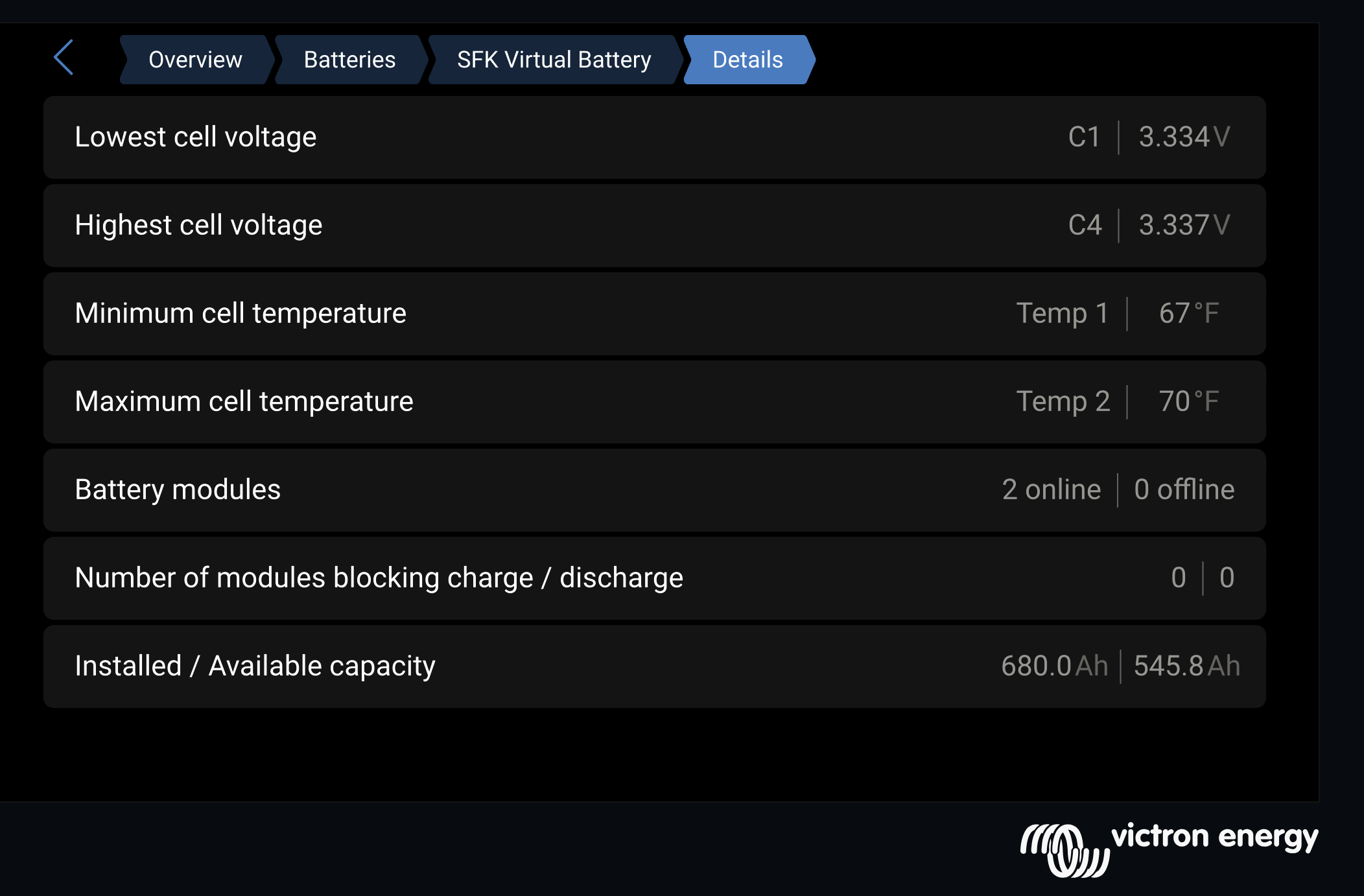
| Lithium packs | 2 × SFK 340ELR LiFePO4, paralleled, each BMS on its own USB link | 680 Ah |
| Pack cabling | 1/0 throughout, roughly 3 ft per pack run | — |
| Disconnects | Anderson SB175, one per pack | 175 A |
| USB hub | CoolGear industrial 7-port — carries both packs and the Bluetooth adapter; the GPS keeps the Cerbo's second port | — |
| Chassis battery maintainer | TRIK-L-START, diode-modified for lithium — keeps the chassis starting battery topped up from the house bank | — |
| Measured path resistance | Typical per-pack cells-to-shunt path after the 2026 rebuild. A per-branch fit, so shared segments count twice over — not the parallel equivalent of the bank | ~3 mΩ |
That last row used to be 7.4 mΩ. Fixing it is the story in the section above, and the full upgrade — fitment, charge profile, and what to know before paralleling two packs — is written up in The Lithium Upgrade.
Solar920 W in three 2-panel strings
| String | Panels | Nameplate |
|---|---|---|
| A | 2 × Newpowa Pro 200 W 9BB | 400 W |
| B | 2 × Zamp Obsidian 100 W | 200 W |
| C | 2 × Newpowa 160 W | 320 W |
All three strings are natively MC4, adapted to the roof's Zamp SAE cap. Worth knowing: Zamp SAE is reverse polarity to the usual SAE convention — never assume an adapter is wired the way you expect. String C is the one whose connector burned through.
Generator and shore
| Component | Detail |
|---|---|
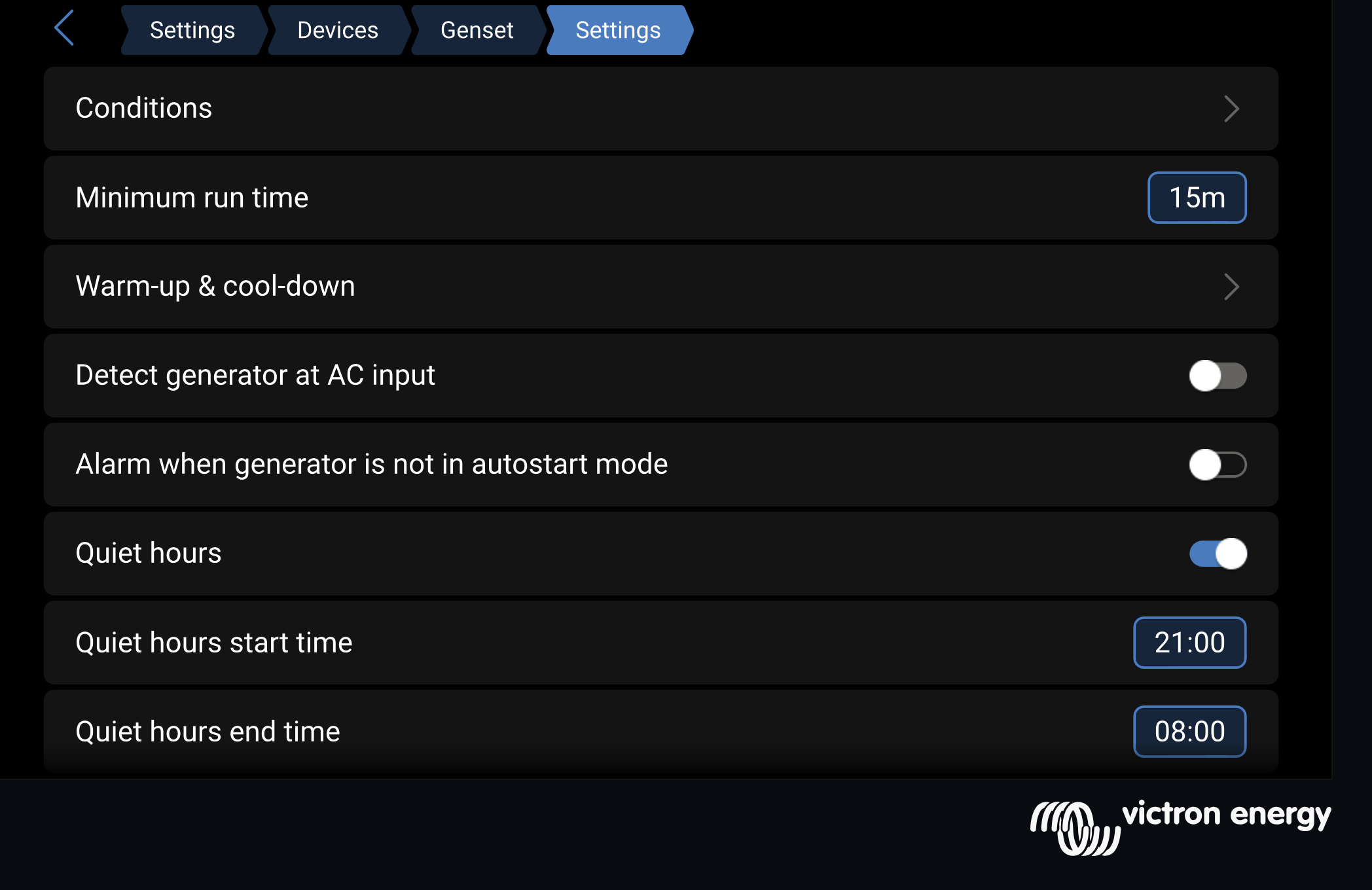
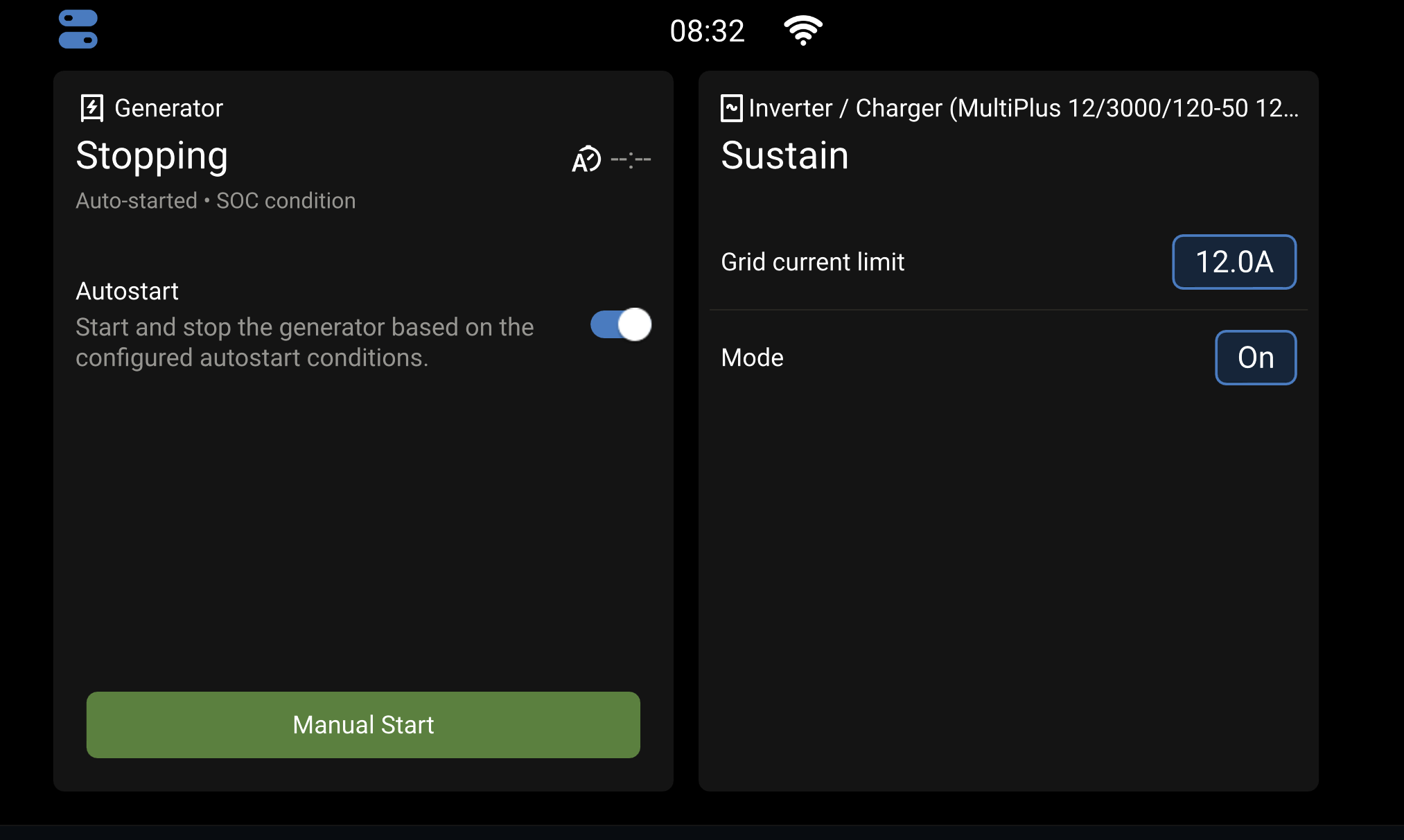
| Generator | Cummins Onan QD3200 Quiet Diesel, with automatic start and stop driven by the Cerbo on state-of-charge thresholds. It draws from the coach's own diesel tank, so autostart spends driving range — and the pickup stops around a quarter tank so it cannot strand you |
| Run detection | Wired into a Cerbo digital input, so "is it actually running" is measured rather than assumed |
| Transfer switch | Second digital input; separate AC current limits for shore and generator |
Connectivity
| Component | Model | Role |
|---|---|---|
| Router | MikroTik hAP ac (RB962UiGS-5HacT2HnT) | Router, switch, dual-band access point, firewall, and the VPN endpoint |
| Satellite | Starlink Mini | Roam plan, 100 GB/month — the metered link |
| Cellular | USB-tethered Android phone | Unlimited, and therefore the preferred link |
| Cell booster | Wilson RV cellular booster | Amplifies the signal reaching the phone — the difference between a usable cellular link and none at all in marginal sites |
| Home uplink | 5 GHz radio in client mode | Joins the house network automatically on arrival |
| Tunnel | WireGuard, site to site | Remote administration rides this; no inbound management services are published to the internet |
Cameras and sensors
| Component | Model | Notes |
|---|---|---|
| Dashcam | BlackVue DR900S-1CH | Live view in Home Assistant; footage archives over home Wi-Fi only |
| Cameras ×2 | Blink Outdoor, with sync module | Battery-powered, on the RV's own 2.4 GHz network. Integrated into Home Assistant, so exterior motion and snapshots land alongside the rest of the RV's telemetry rather than in a separate app |
| Temperature ×4 | RuuviTag, Bluetooth | Inside, outside, freezer, and inverter bay |
| GPS | u-blox 7 USB receiver | Feeds the map, the tracking server, and the arrive-home geofence |
| Propane | Cerbo built-in tank input | One of four inputs; three are still free |
Not here yet: fresh, grey and black tank levels. Still the factory panel only.
Software
| Component | Runs where | Job |
|---|---|---|
| Venus OS | Cerbo GX | Victron's own platform — everything else is built on top of it |
| Node-RED | Cerbo GX | Relays the arrive/leave decision to the router |
| Custom collectors | Cerbo GX | Telemetry publisher, Starlink dish reader, GPS poster, geofence, heartbeat |
| Home Assistant | At the house | Every derived sensor, dashboard and alert on this page |
| Traccar | At the house | Drive tracks, with offline buffering through dead zones |
| Uptime Kuma | At the house | The heartbeat watchdog and the reach-in monitors |
Still To Do
The honest gaps
Water tanks
Fresh, grey and black still exist only on the factory monitor panel. There is no history, no alert, and nothing that could catch a black tank filling faster than usual — the early signature of a leaking toilet valve. Three of the Cerbo's four tank inputs are free and propane already proves the path works, so the open question is what kind of sender the coach actually uses. That is the next project.
The GPS receiver also dropped its fix for three days without anyone noticing, which is its own small lesson: it now publishes an explicit "no fix" rather than simply going quiet, so the difference between a dead receiver and a dead RV is visible at a glance.
More to come as things break and get fixed. Questions, or want detail on any of it? Get in touch.
Built with Claude Code.